
Marketplace Promotions & Discounts feature overview
Edit on GitHubThe Marketplace Promotions and Discounts feature ensures that discounts are applied to orders.
There are two discount types:
- Voucher
- Cart rule
A product catalog manager selects a discount type when creating a discount.
Based on the business logic, discounts can be applied in the following ways:
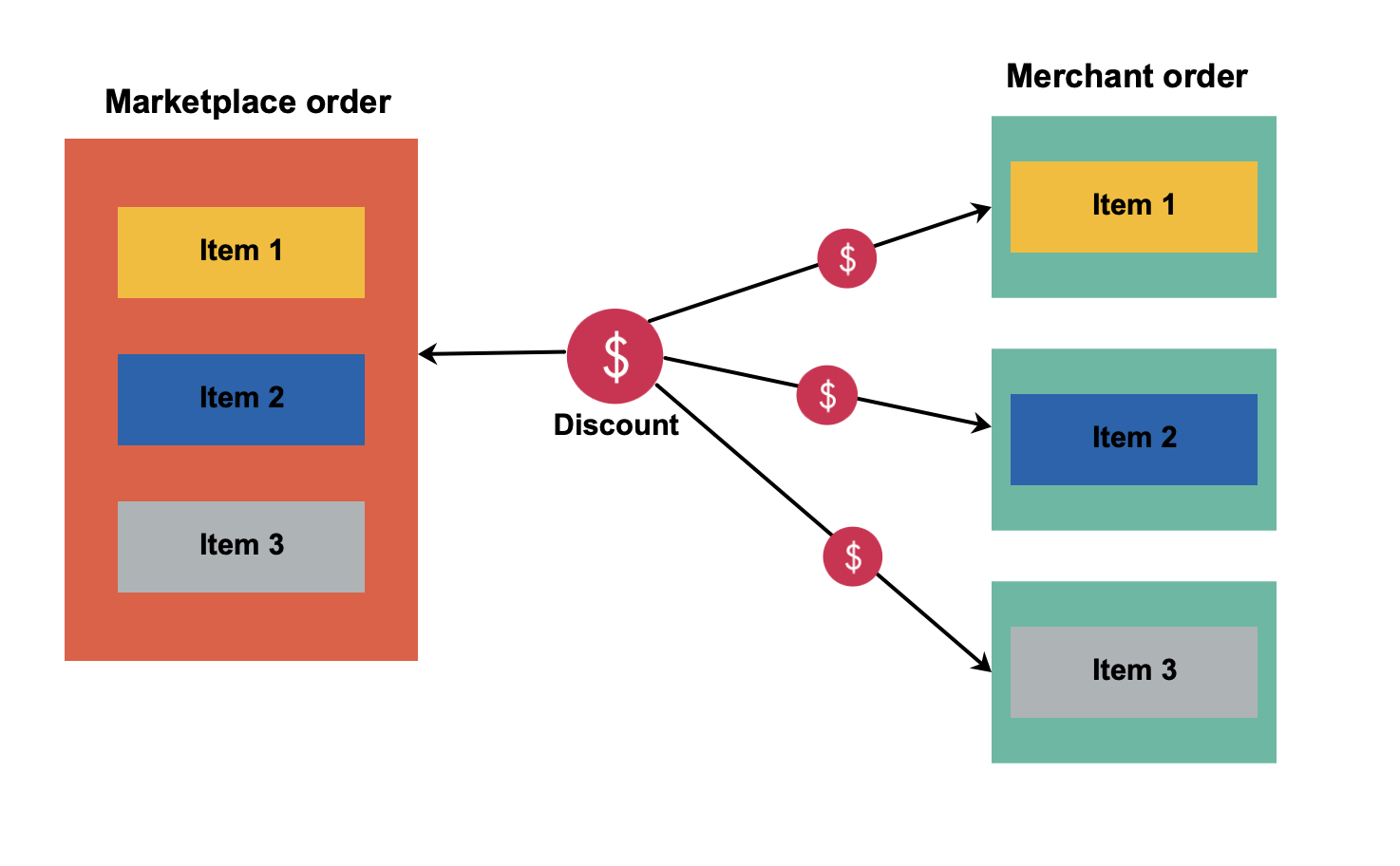
- The discount is applied to the whole Marketplace order. In such a scenario, the discount is distributed among all the merchant orders and calculated according to the total volume of each of the items.
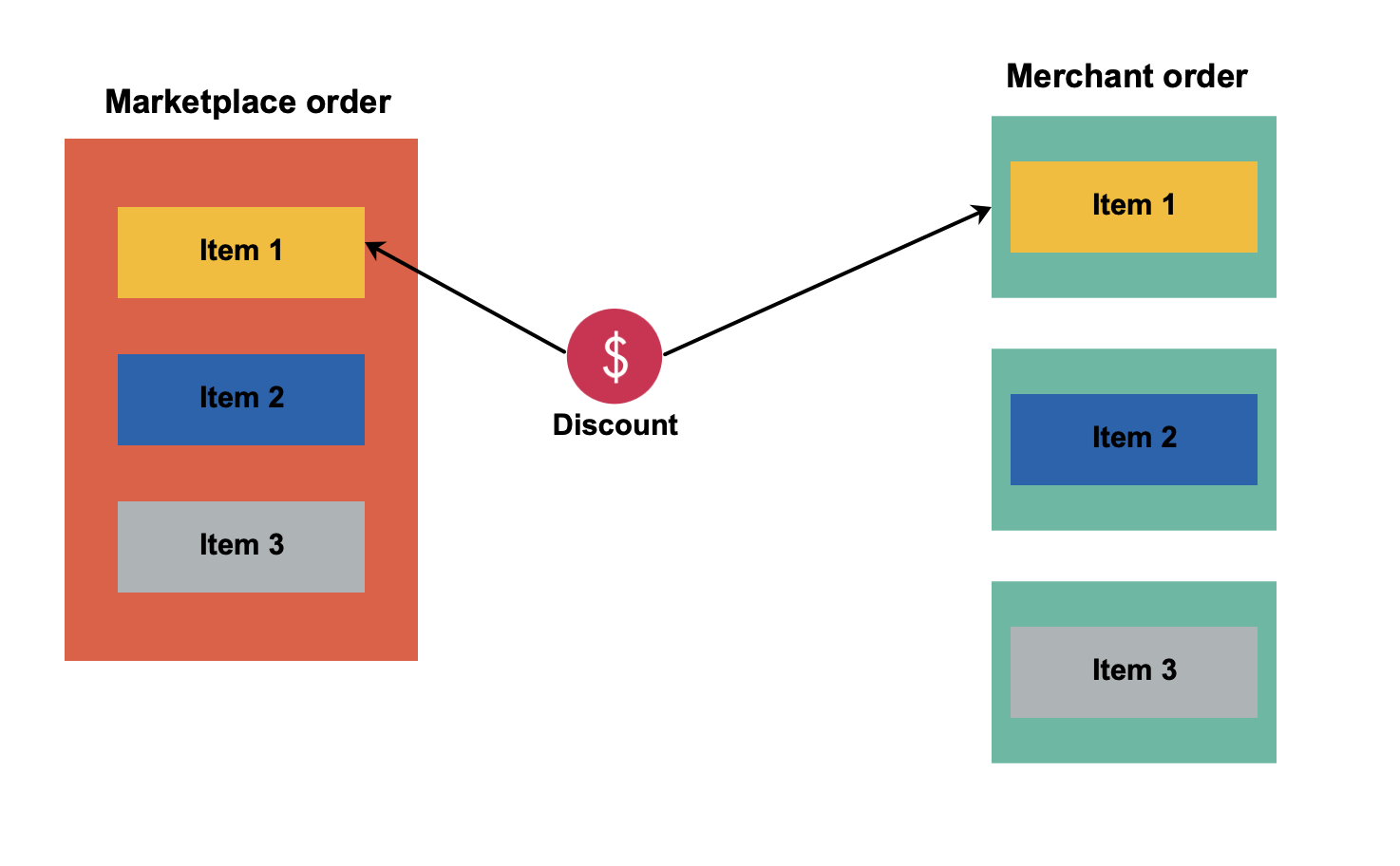
- The discount is related to a single product item in the Marketplace order. In this case, the whole discount is assigned only to the merchant order that contains the discounted item.
Voucher
A Voucher is a discount that applies when a customer enters an active voucher code on the Cart page.
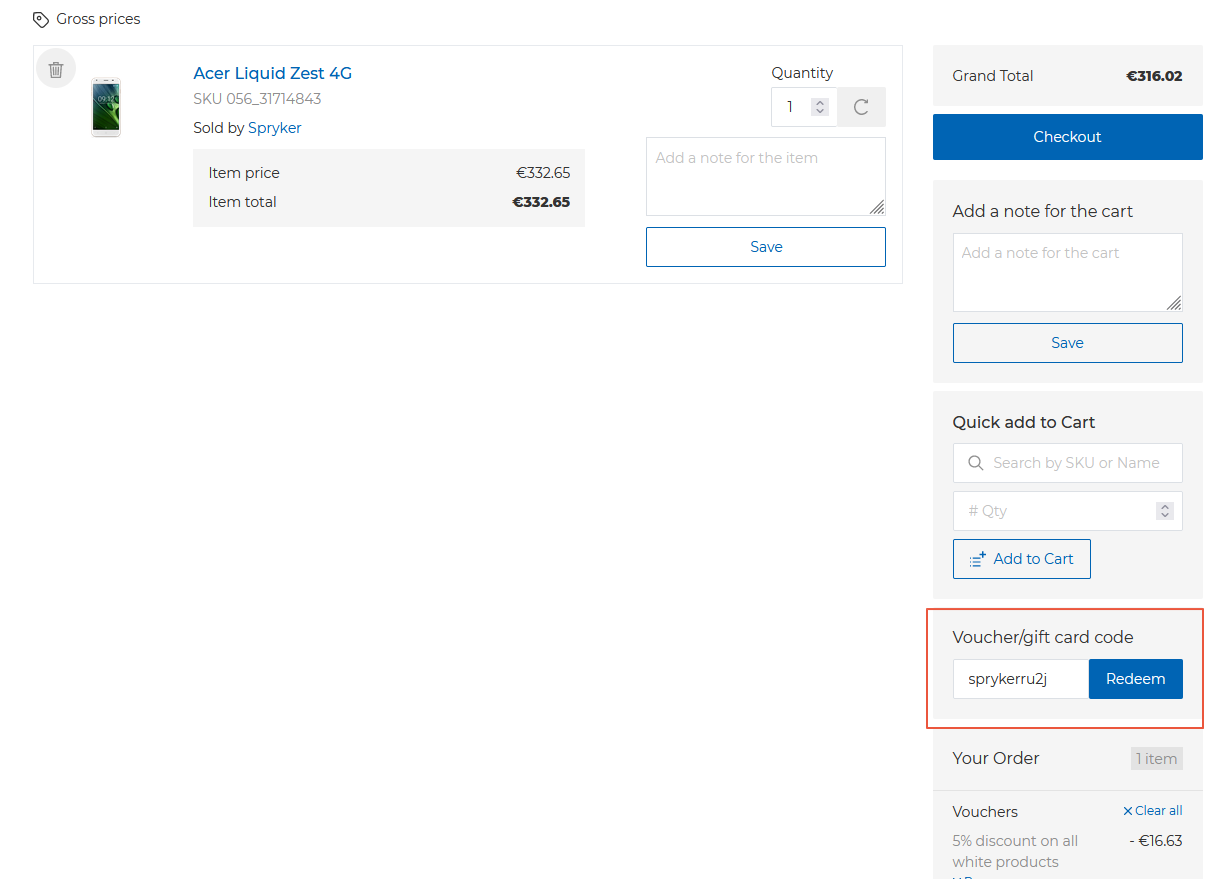
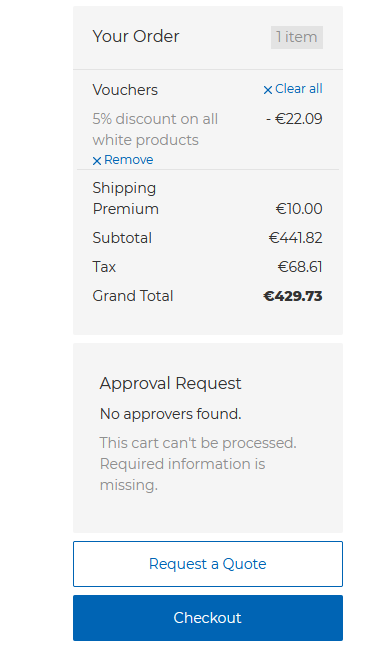
Once the customer clicks Redeem code, the page refreshes to show the discount name, discount value, and available actions: Remove and Clear all. The Clear all action disables all the applied discounts. The Remove action disables a single discount.
Multiple voucher codes can be generated for a single voucher. The code has a Max number of uses value which defines how many times the code can be redeemed.
You can enter codes manually or use the code generator in the Back Office.
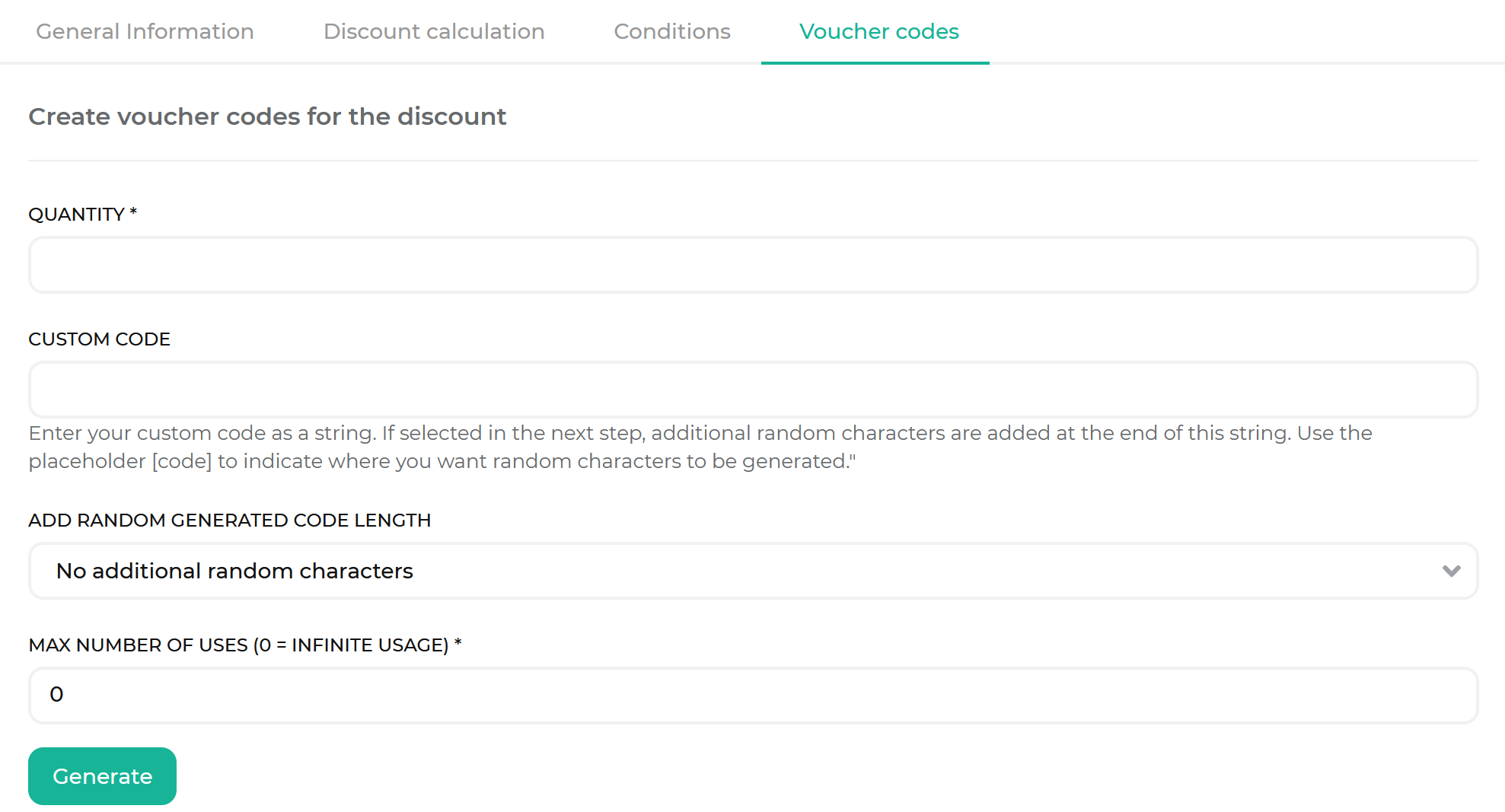
To learn how a product catalog manager can create a voucher in the Back Office, see Creating a voucher.
Cart Rule
A cart rule is a discount that applies to the cart once all the decision rules linked to the cart rule are fulfilled.
The cart rule is applied automatically. If the decision rules of a discount are fulfilled, the customer can see the discount upon entering the cart. Unlike with vouchers, the Clear all and Remove actions are not displayed.
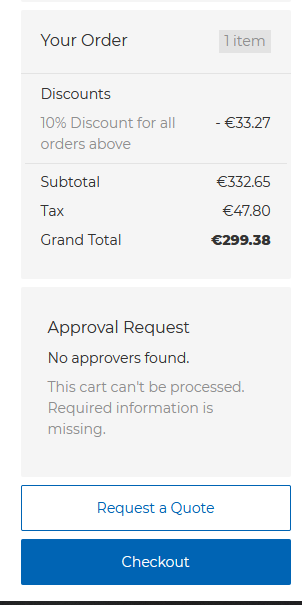
To learn how a product catalog manager can create a cart rule in the Back Office, see Create discounts.
Decision rule
In the Back Office, you define discounts by building a query. A query consists of one or more rules, and each rule compares a parameter to a value using a relation operator. Such a rule is called a decision rule.
A query serves one of two purposes, depending on where you build it:
- Under Apply when, the query is a condition: it determines whether the discount applies to the cart at all.
- Under Apply to, the query is a filter: it selects which items in the cart receive the discount.
The Back Office does not use the term decision rule. You build queries in the Apply when and Apply to fields, which are described in Apply to compared to Apply when.
A query can contain one or more rules. Find an exemplary combination below:
| PARAMETER | RELATION OPERATOR | VALUE |
|---|---|---|
| total-quantity | equal | 3 |
| day-of-week | equal | 5 |
In this case, the discount is applied if the cart contains three items and the purchase is made on the fifth day of the week (Friday).
Multiple rules form a single query. A query is a request for information based on the defined parameters. In the Discount feature, a query requests information from a cart, either to check whether the cart is eligible for the discount or to select the items to discount. By specifying rules, you define the parameters of the query.
In the Back Office, a product catalog manager creates the rules in a Query Builder. The rules created in the Query Builder are transformed into a single query.
The rules from the previous example look as follows in the Query Builder:
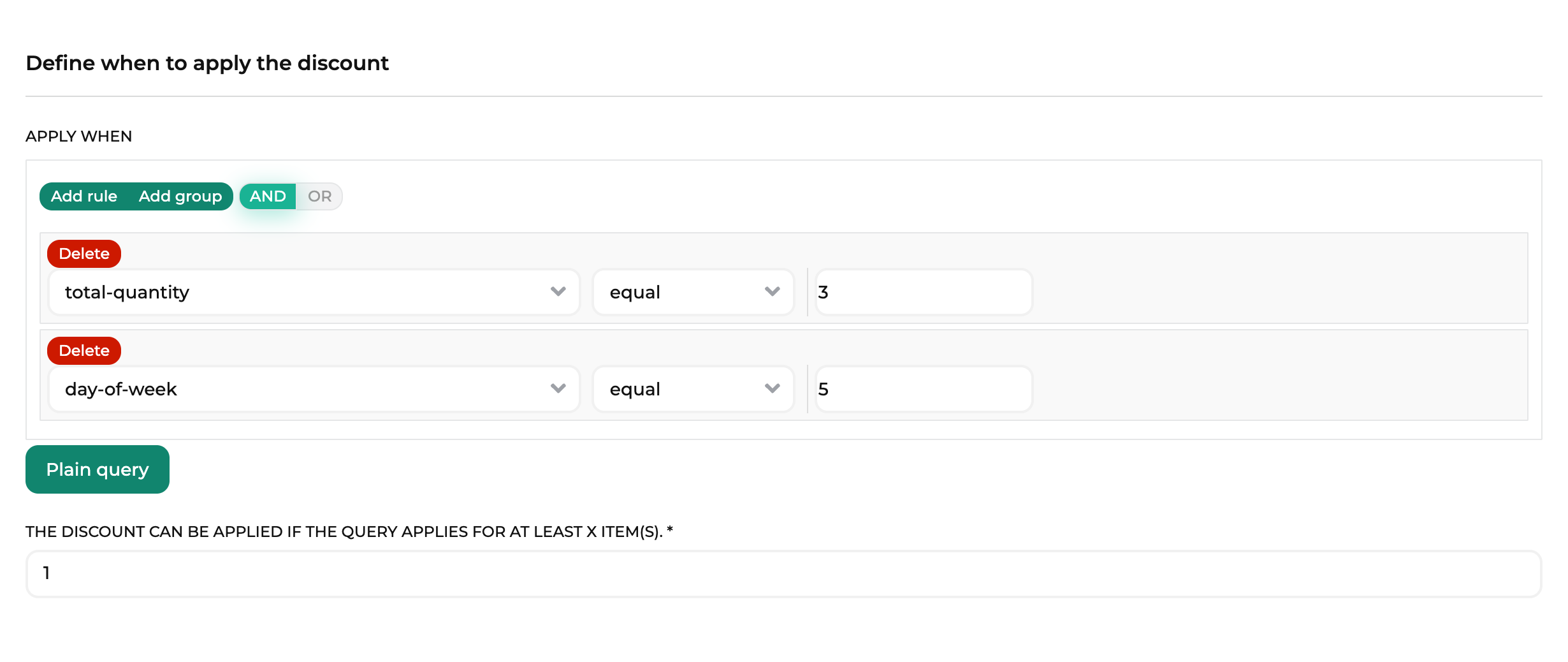
A product catalog manager can enter the query manually as well.
The same rules look as follows as a plain query:

You can switch between Query Builder and Plain query modes to see how the specified rules look in either of them.
Decision rules are combined with AND and OR combination operators. With the AND operator, all the rules should be fulfilled for the discount to be applied. With the OR operator, at least one of them should be fulfilled for the discount to be applied.
In the following example, for the discount to be applied, a cart should contain three items, and the purchase should be made on Wednesday.
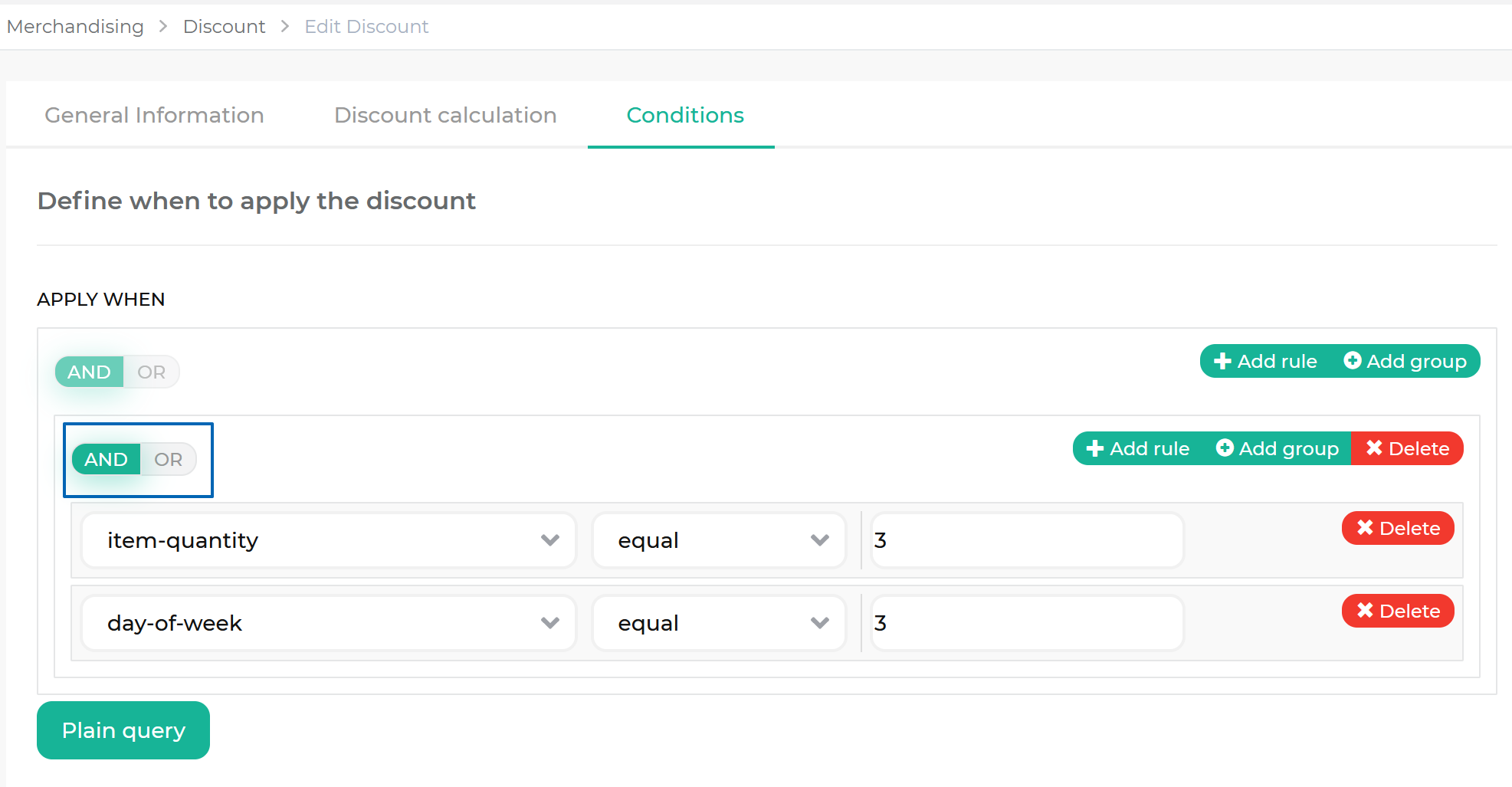
In the following example, for the discount to be applied, a cart should contain three items, or the purchase should be made on Wednesday.
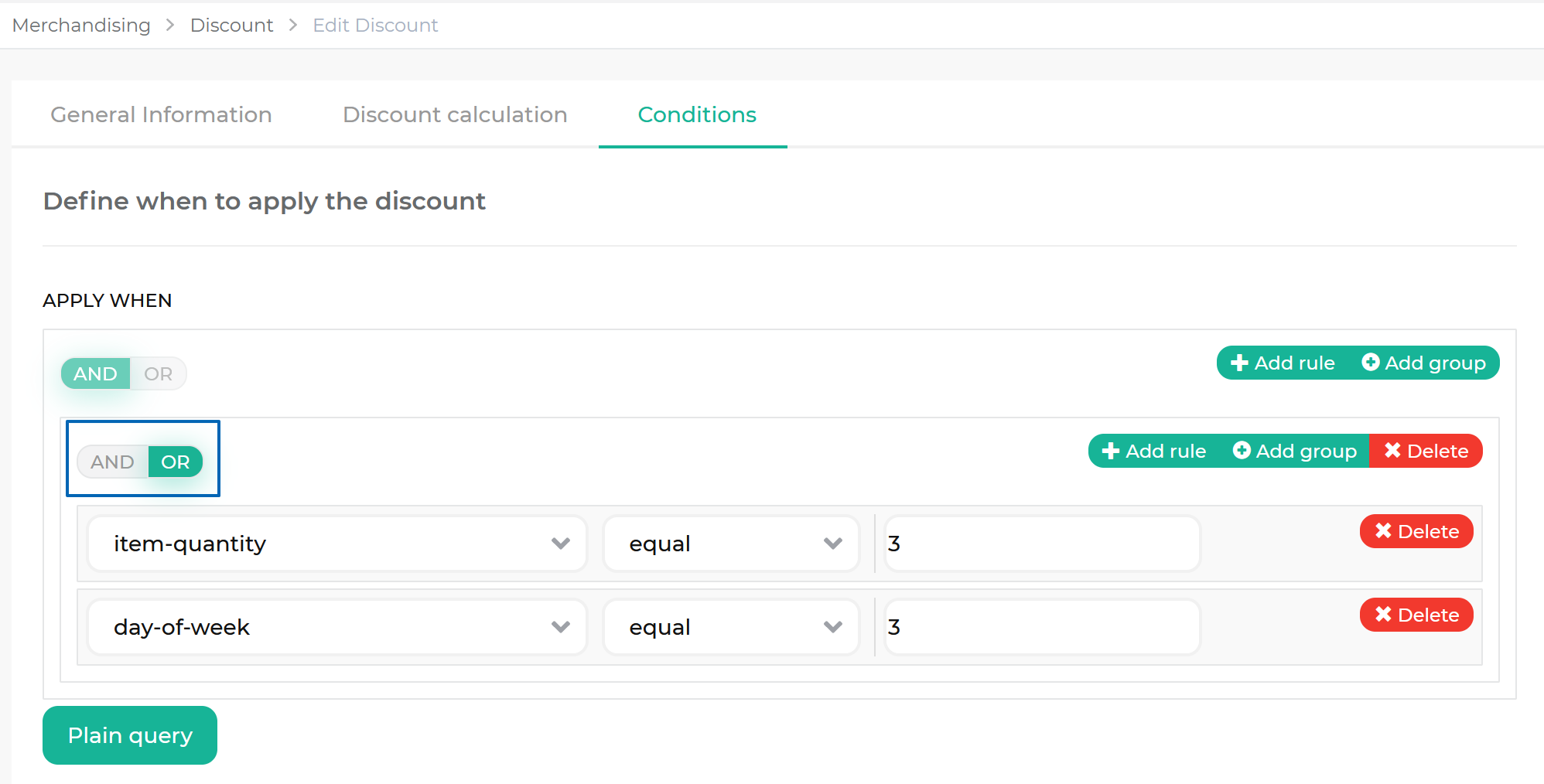
When rules are combined by the OR operator, they do not exclude each other. If a cart fulfills both such rules, the discount is still applied.
Product attributes in decision rules
To use a product attribute in a decision rule, reference it as attribute.<attribute_key> — for example, attribute.color. Spryker does not predefine these fields: it generates one field per product attribute key that exists in your database.
If you do not see the attribute you expect in the Query Builder, the corresponding attribute key does not exist in your database yet. Add it in one of the following ways:
- Create product attributes in the Back Office.
- Import attribute keys with the
product-attribute-keydata entity. For details, see Import file details: product_attribute_key.csv.
The examples in this document use attribute keys such as attribute.color and attribute.processor_cores. Depending on the demo shop you started with, these keys may not exist in your database. Replace them with the attribute keys that exist in your own database.
Decision rule group
A rule group is a separate set of rules with its own combination operator.
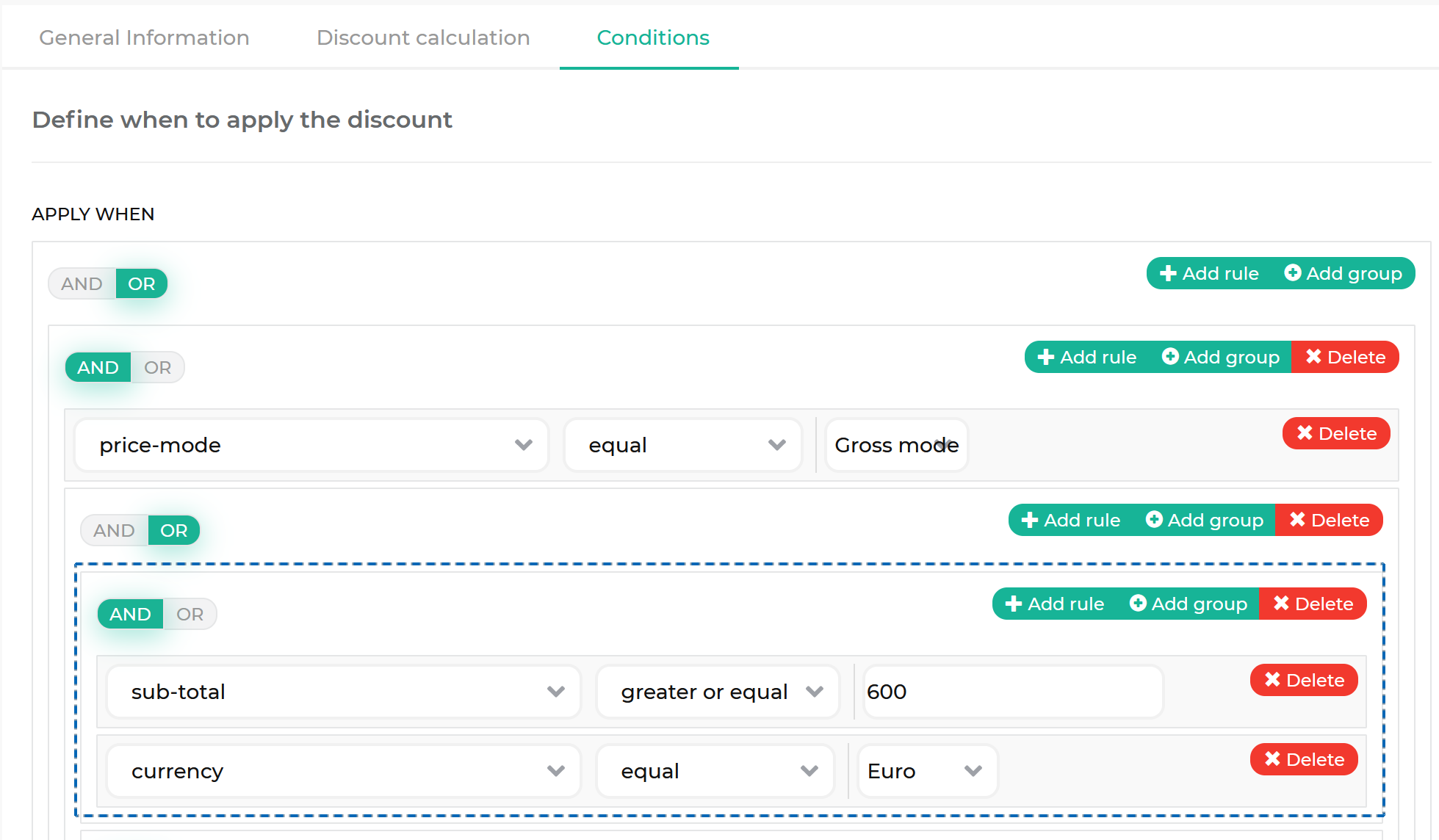
With the rule groups, you can build multiple levels of rule hierarchy. When a cart is evaluated against the rules, it is evaluated on all levels of the hierarchy. On each level, there can be both rules and rule groups.
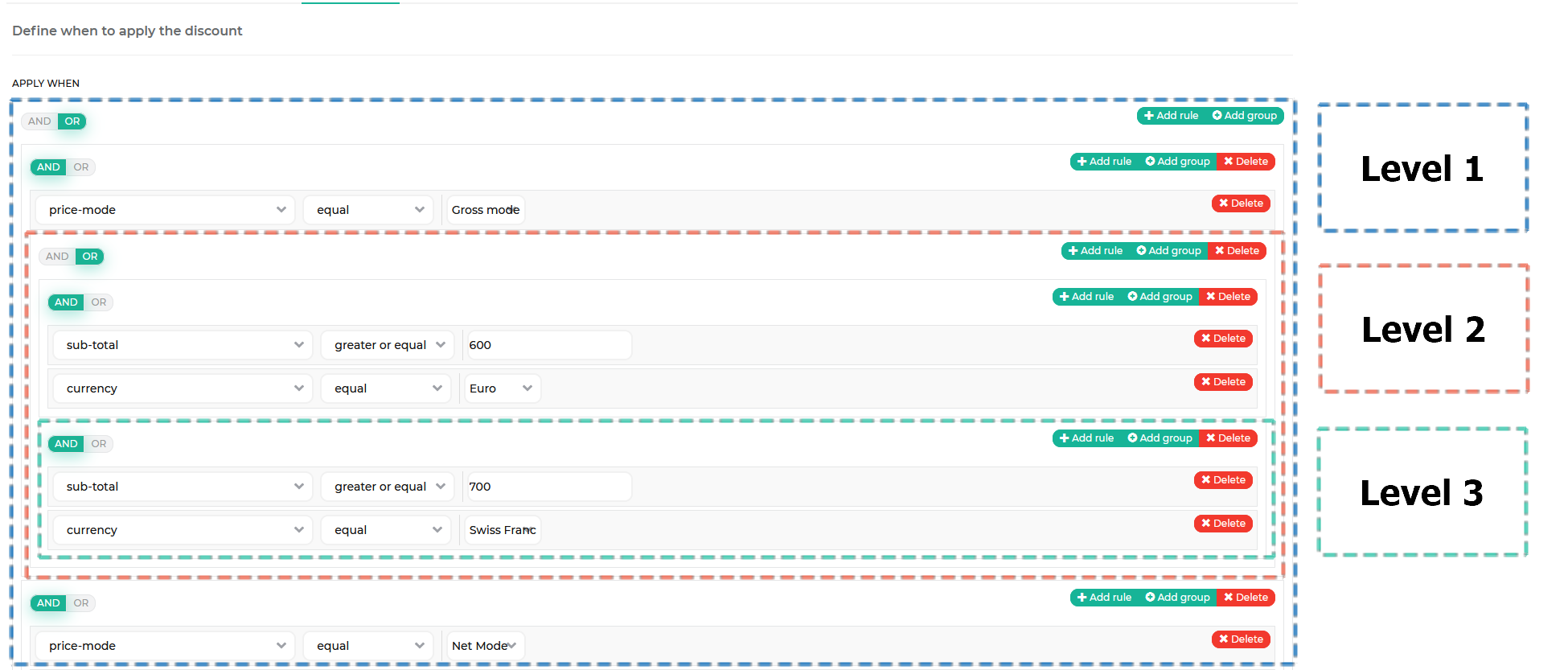
When a cart is evaluated on a level that has a rule and a rule group, the rule group is treated as a single rule. The following diagram shows how a cart is evaluated against the rules in the previous screenshot.
Discount threshold
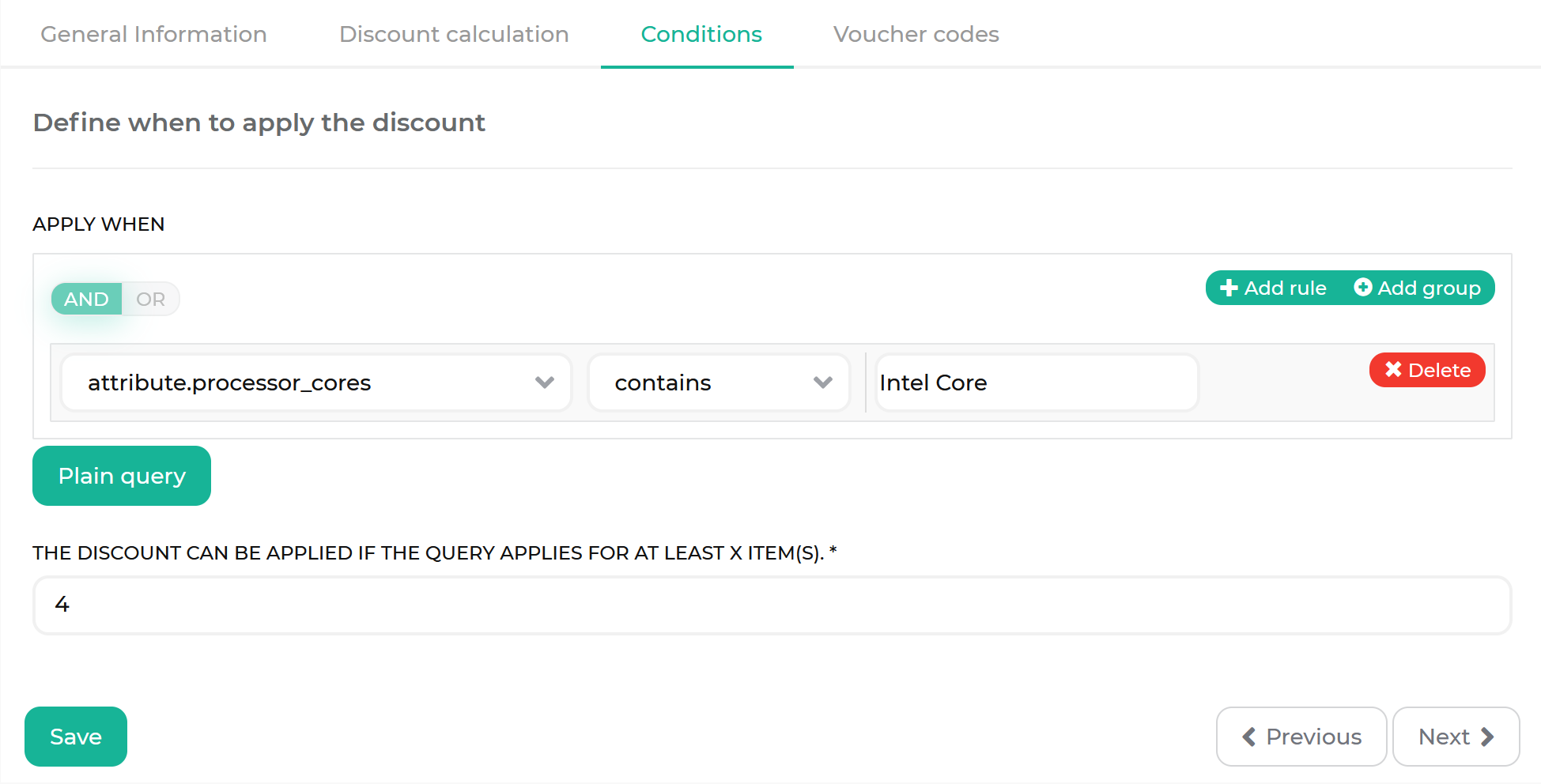
A threshold is a minimum number of items in the cart that should fulfill all the specified decision rules for the discount to be applied. The default value is 1. It means that a discount is applied if at least one item fulfills the discount’s decision rules.
In the following example, the discount is applied if there are four items with the Intel Core processor in the cart.
Discount application
Discount application is a discount configuration option that defines the products to which a discount is applied.
The Marketplace discounts are applied based on the query string.
The query string is a discount application type that uses decision rules to dynamically define what products a discount applies to.
The discount in the following example applies to white products.
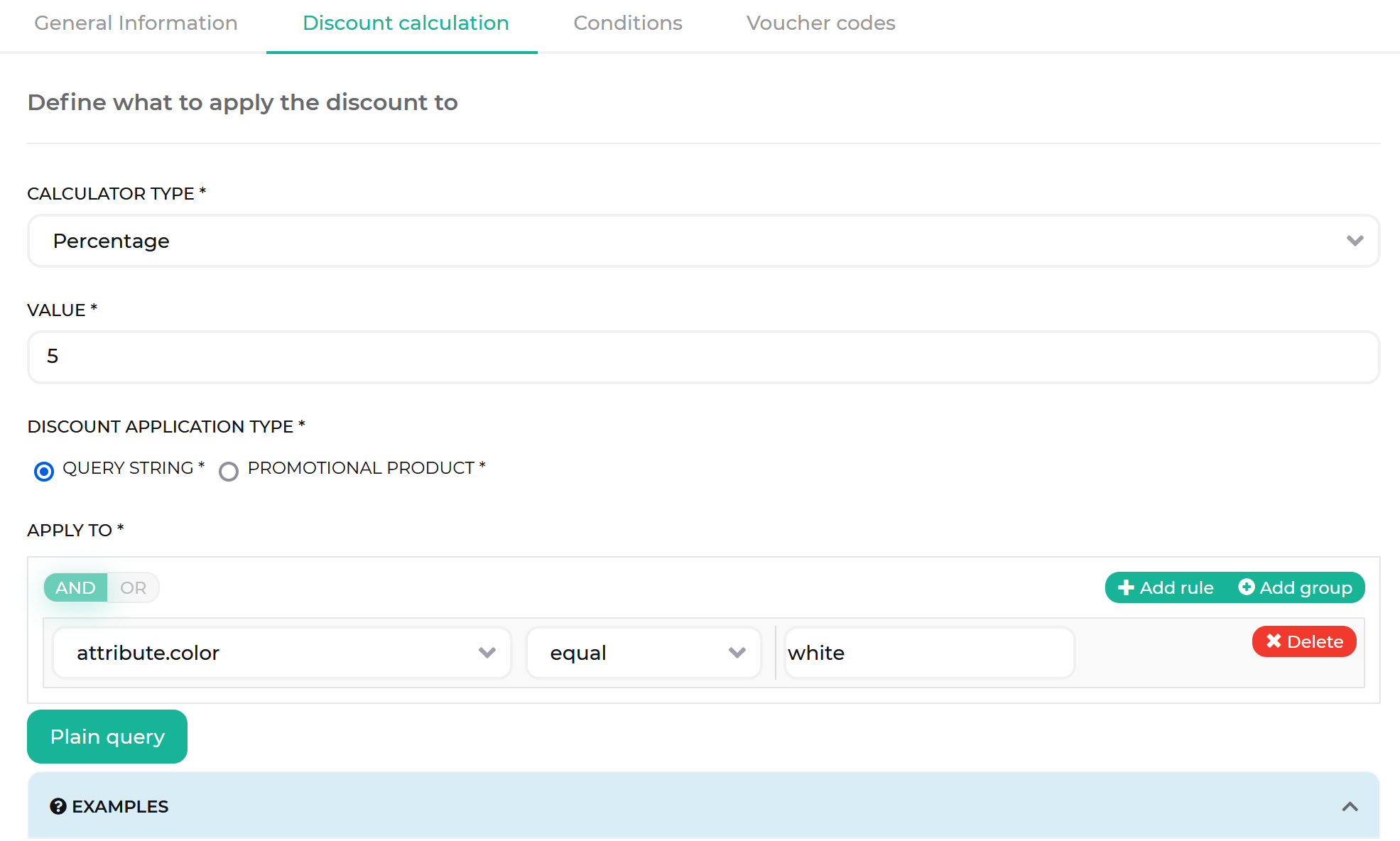
The product selection based on the query string is dynamic:
- If at some point, the color attribute of a product changes from white to anything else, the product is no longer eligible to be discounted.
- If at some point, a product receives the white color attribute, it becomes eligible for the discount.
This example uses the attribute.color field. Attribute fields are generated from the product attribute keys in your own database, so replace attribute.color with an attribute key that exists in your database. For details, see Product attributes in decision rules.
Apply to compared to Apply when
A discount is configured in two separate places that serve different purposes:
| CONFIGURATION | BACK OFFICE TAB | SECTION HEADING | PURPOSE |
|---|---|---|---|
| APPLY TO | Discount calculation | Define what to apply the discount to | Selects the cart items that receive the discount. |
| APPLY WHEN | Conditions | Define when to apply the discount | Determines whether the discount applies to the cart at all. |
Apply when acts as a gate: if its decision rules are not fulfilled, the discount is not applied to the cart. Apply to then selects which of the items in the cart the discount value is distributed across.
Because the two settings serve different purposes, they offer different fields. Apply when evaluates the cart as a whole, so it also offers cart-level and customer-level fields, such as grand-total, sub-total, total-quantity, currency, day-of-week, and customer-group. Apply to selects individual items, so it offers only item-level fields, such as sku, item-quantity, item-price, category, and attribute.<attribute_key>.
Some fields, such as sku, item-quantity, and item-price, are available in both places, where they have a different meaning:
| FIELD | UNDER APPLY WHEN | UNDER APPLY TO |
|---|---|---|
sku |
Checks whether the cart contains an item with this SKU. | Restricts the discount to the items with this SKU. |
item-quantity |
Checks whether an item with this quantity is in the cart. | Restricts the discount to the items with this quantity. |
item-price |
Checks whether an item with this price is in the cart. | Restricts the discount to the items with this price. |
The fields under Apply to do not discount an SKU or a quantity by themselves. They narrow down the set of items that the discount is applied to.
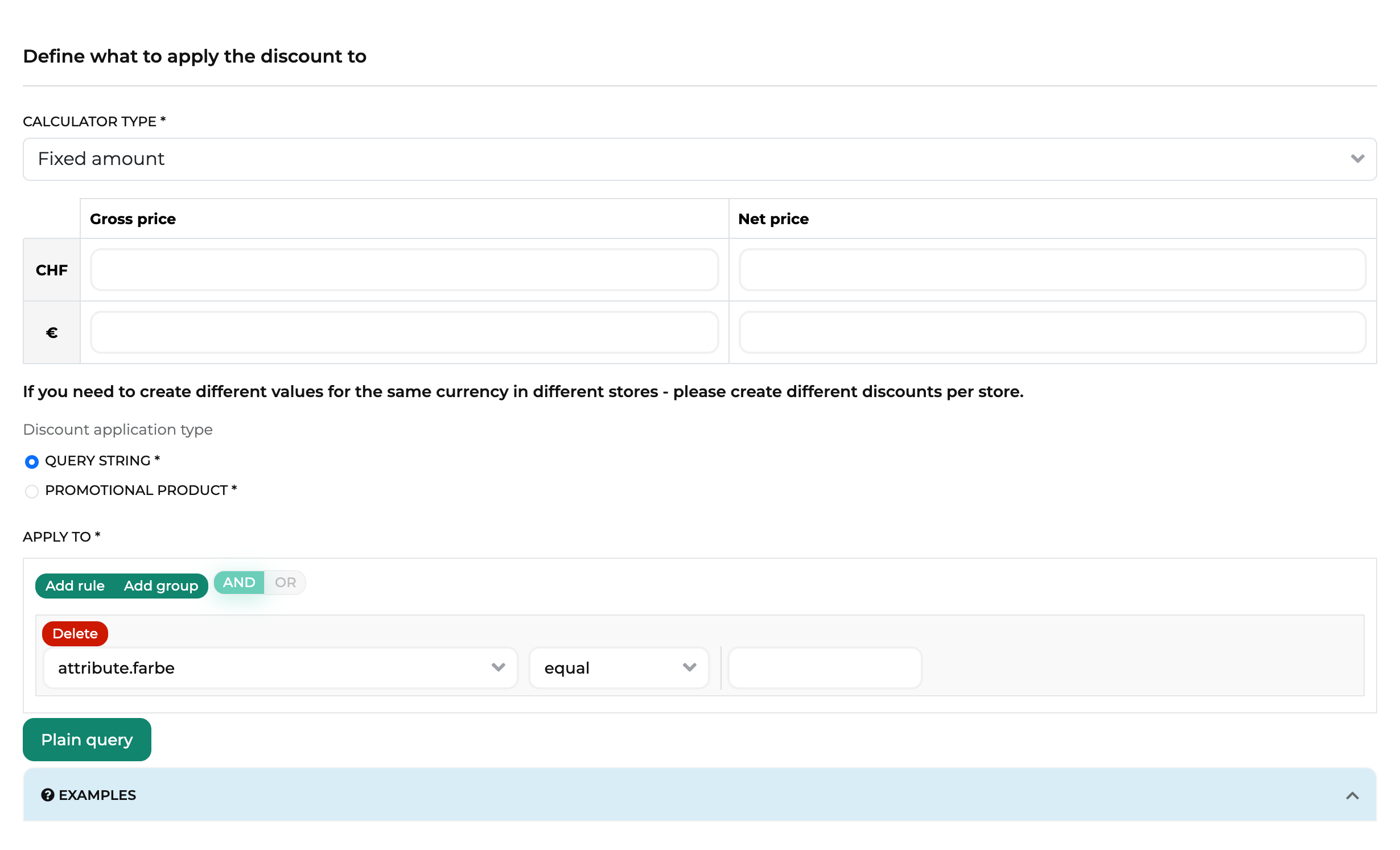
The following screenshots show the same rule in both places. The field list offered under Apply to is a subset of the one offered under Apply when, because Apply to only offers item-level fields. The attribute key in these screenshots comes from the demo data, so the key you see in your own project differs.
On the Discount calculation tab, Apply to selects the items that receive the discount:
On the Conditions tab, Apply when determines whether the discount applies to the cart at all:
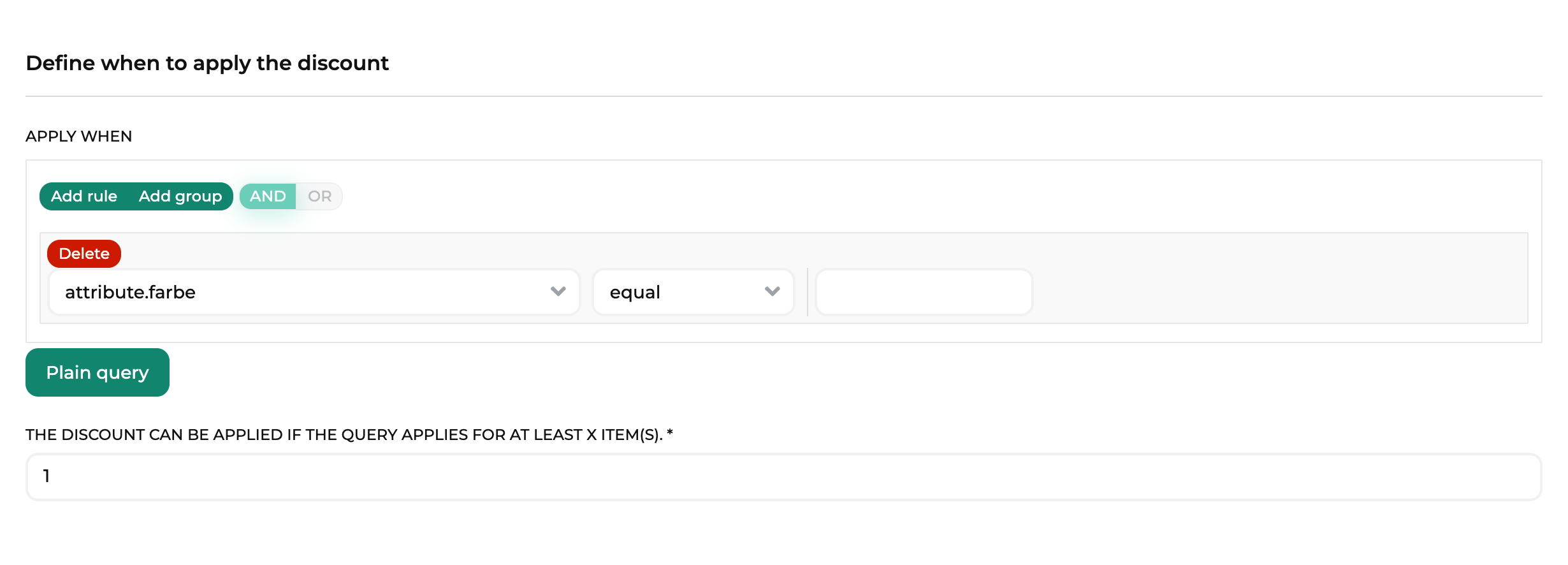
A discount with Apply when set to total-quantity >= 10 and Apply to set to attribute.color = 'white' first checks the total number of items in the cart, regardless of their color. If the cart contains at least ten items, the discount then reduces the price of the white items only.
Discount calculation
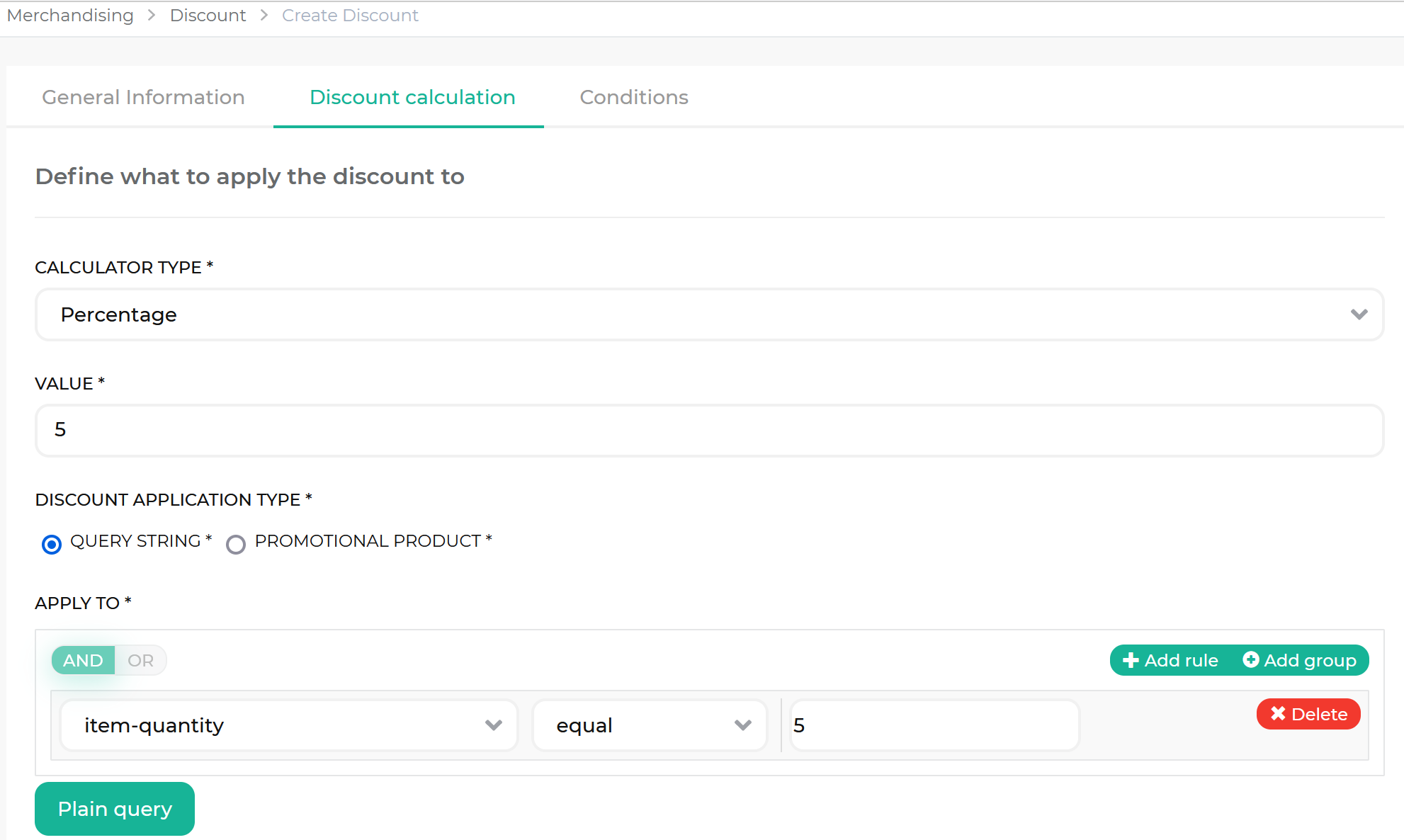
Calculation defines the value to be deducted from a product’s original price. There are two types of discount calculation:
- Calculator percentage
- Calculator fixed
With the calculator fixed type, the currency of the respective shop is used for calculation.
See examples in the following table.
| PRODUCT PRICE | CALCULATION TYPE | AMOUNT | DISCOUNT APPLIED | PRICE TO PAY |
|---|---|---|---|---|
| €50 | Calculator percentage | 10 | €5 | €45 |
| €50 | Calculator fixed | 10 | €10 | €40 |
A product catalog manager defines the calculation when creating a voucher or a cart rule.
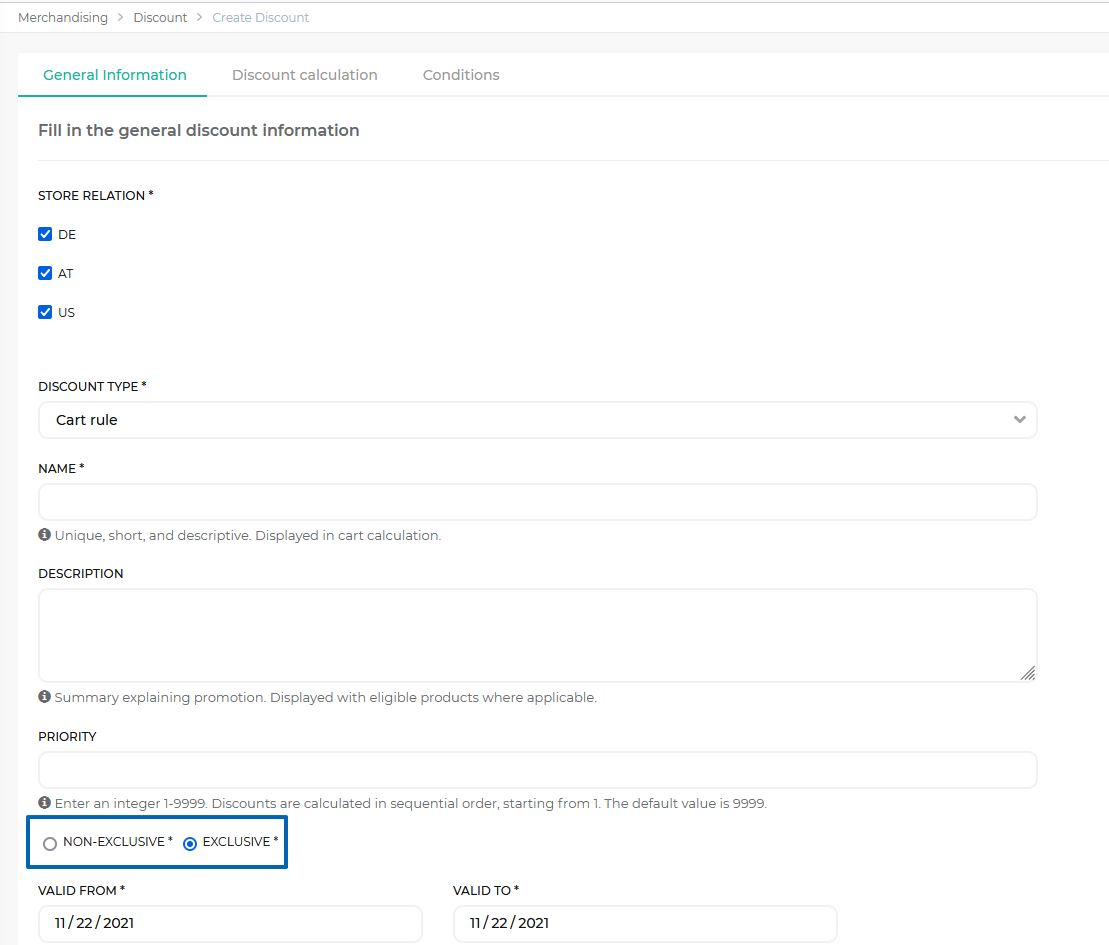
Discount exclusiveness
Discount exclusiveness defines if a discount value of a discount can be combined with the discount value of other discounts in a single order.
A product catalog manager defines exclusiveness when creating a voucher or a cart rule.
Exclusive discount
An exclusive discount is a discount that, when applied to a cart, discards all the other discounts applied to it. If a cart is eligible for multiple exclusive discounts, the highest-value discount is applied.
In the following example, a cart with the order total amount of €100 contains the following discounts.
| DISCOUNT NAME | DISCOUNT AMOUNT | DISCOUNT TYPE | EXCLUSIVENESS | DISCOUNTED AMOUNT |
|---|---|---|---|---|
| D1 | 15 | Calculator percentage | Exclusive | €15 |
| D2 | 5 | Calculator fixed | Exclusive | €5 |
| D3 | 10 | Calculator percentage | Non-exclusive | €10 |
The discount exclusivity is resolved as follows:
- The discounts D1 and D2 are exclusive, so the non-exclusive discount D3 is discarded.
- The discount D1 provides more free value than the discount D2.
- As a result, the discount D1 is applied.
Non-exclusive discount
A non-exclusive discount is a discount that can be combined with other non-exclusive discounts in a single order.
In the following example, a cart with the order total amount of €30 contains the following discounts.
| DISCOUNT NAME | DISCOUNT AMOUNT | DISCOUNT TYPE | EXCLUSIVENESS | DISCOUNTED AMOUNT |
|---|---|---|---|---|
| D1 | 15 | Calculator percentage | Non-exclusive | €15 |
| D2 | 5 | Calculator fixed | Non-exclusive | €5 |
| D3 | 10 | Calculator percentage | Non-exclusive | €10 |
As all the discounts are non-exclusive, they are applied together.
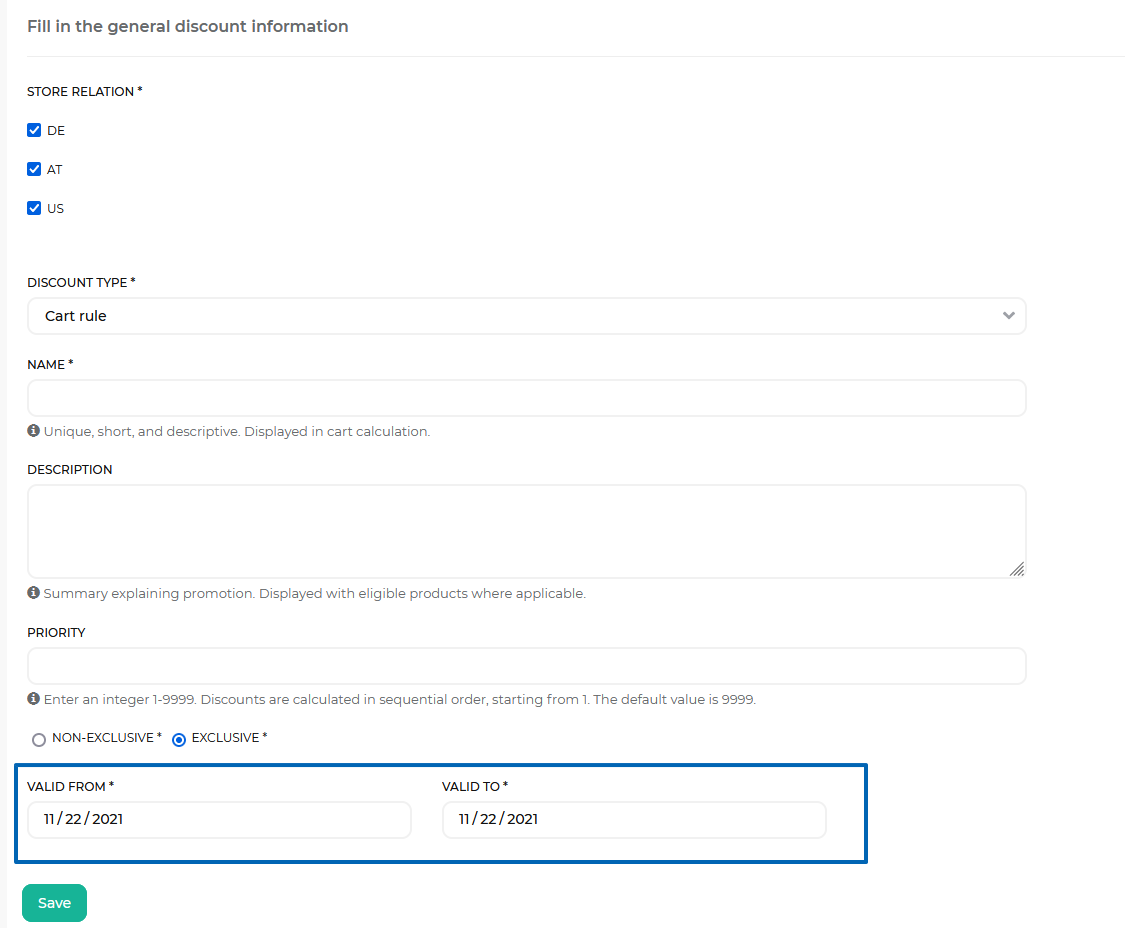
Discount validity interval
A validity interval is a time period during which a discount is active and can be applied.
If a cart is eligible for a discount outside of its validity interval, the cart rule is not applied. If a customer enters a voucher code outside of its validity interval, they get a “Your voucher code is invalid.” message.
A product catalog manager defines the validity interval when creating a discount.
Related Developer articles
Thank you!
For submitting the form